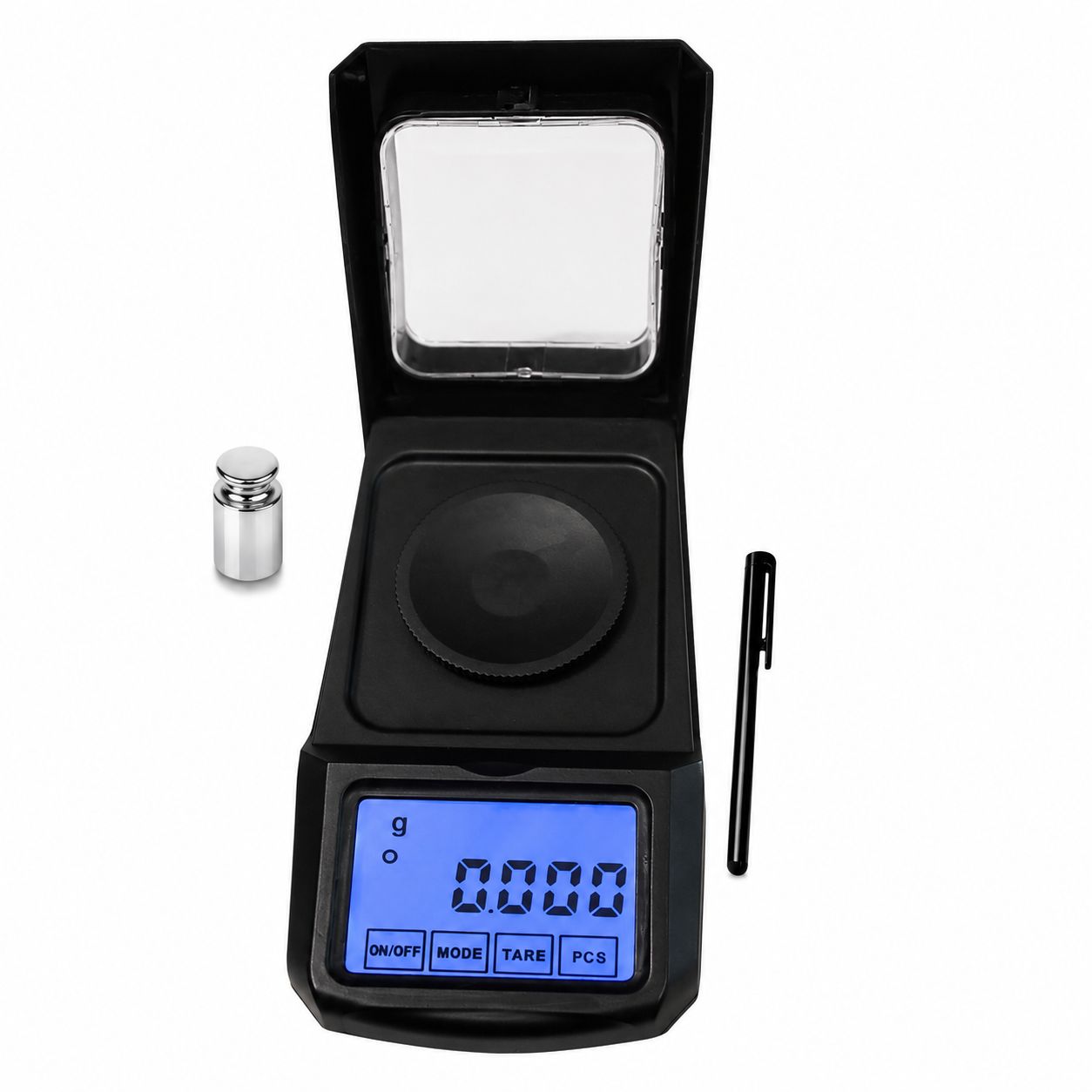
Superior Balance® Touch Pro 20 Digital Scale
$79.99
Buy and save
Buy and earn $1.59 Loyalty for your next purchase
Precision
Please choose
Capacity
Please choose
In stock: 1 available
Superior Balance® Touch Pro 20 Digital Scale
Product Details
Brand: SUPERIOR BALANCE
Milligram-Level Precision with Convenient Touchscreen Control
The Superior Balance® Touch Pro 20 Digital Scale delivers highly detailed measurements through a responsive touchscreen interface. Featuring a 20-gram maximum capacity with 0.001-gram readability, this precision tabletop scale is designed for jewelry, gemstones, coins, laboratory-style measurements, collectibles, and other small lawful items requiring exceptional accuracy.
A large backlit LCD makes measurements easy to read, while the included stylus provides precise touchscreen control. Six selectable weighing modes, included calibration weights, and battery-powered operation make the Touch Pro 20 a complete precision-weighing solution for home, hobby, or professional workspaces.
Benefits of Use
The Superior Balance® Touch Pro 20 provides milligram-level precision for applications where standard pocket or kitchen scales may not offer enough detail. Its 0.001-gram readability displays measurements to one-thousandth of a gram, while the 20-gram capacity is suitable for very small items and materials.
The touchscreen interface creates a clean, modern control layout and reduces the need for traditional raised buttons. The included stylus allows accurate menu and function selection without placing unnecessary pressure on the display.
The large backlit LCD improves visibility in different lighting conditions. The tare function allows the weight of a lightweight container or tray to be removed from the displayed measurement, making it easy to measure only the contents placed inside.
Capacity and Weighing Modes
The Touch Pro 20 provides a maximum weighing capacity of 20 grams and displays measurements in precise 0.001-gram increments.
The scale includes six selectable weighing modes, allowing users to choose an appropriate measurement unit for jewelry, collecting, hobby, and other precision-weighing applications.
This combination of capacity and readability makes the scale suitable for weighing:
- Jewelry and gemstones
- Coins and small collectibles
- Laboratory-style samples
- Craft and hobby materials
- Other small lawful items requiring milligram-level precision
How to Use
Place the scale on a flat, stable, and level surface away from vibration and strong airflow.
Turn the scale on and allow the display to return to zero. Place the item directly on the weighing platform, or place a lightweight container on the platform and use the tare function to subtract its weight.
Use the touchscreen and included stylus to select the preferred weighing mode. Add the item or material being measured and wait for the displayed result to stabilize.
Calibrate the scale periodically using the included calibration weights and the manufacturer’s instructions. Because the Touch Pro 20 measures in extremely fine increments, even slight vibration, air movement, or an uneven surface may affect the reading.
Specifications
- Brand: Superior Balance®
- Model: Touch Pro 20
- Scale type: Digital precision tabletop scale
- Maximum capacity: 20 g
- Readability: 0.001 g
- Weighing modes: 6
- Controls: Touchscreen
- Stylus: Included
- Display: Large backlit LCD
- Tare function: Yes
- Calibration capability: Yes
- Calibration weights: Included
- Power source: AAA batteries
- Batteries included: Yes
- Design: Compact tabletop format
- Warranty: Superior Balance® lifetime warranty
Superior Balance lists the Touch Pro 20 with a 20 g × 0.001 g capacity, touchscreen controls, included stylus, six weighing modes, large backlit display, calibration weights, AAA batteries, and lifetime warranty.
What’s Included
- 1 Superior Balance® Touch Pro 20 Digital Scale
- 1 Touchscreen stylus
- Calibration weights
- AAA batteries
- User instructions
Disclaimer
Use this scale only for lawful household, jewelry, collecting, laboratory-style, craft, hobby, or professional weighing applications. Place the scale on a stable, level surface and follow the manufacturer’s operating and calibration instructions.
Do not exceed the scale’s stated 20-gram maximum capacity, as overloading may damage the weighing sensor and affect future accuracy. Product appearance, packaging, measurement modes, batteries, calibration accessories, and included components may vary slightly by production batch.